TL;DR
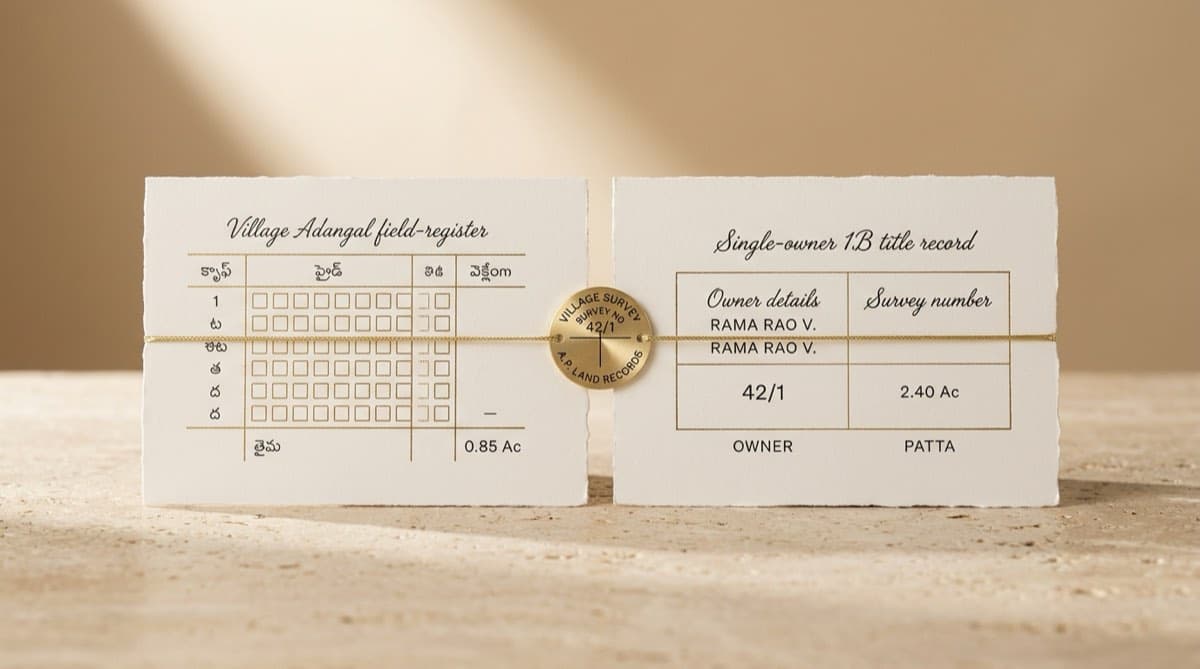
- On meebhoomi.ap.gov.in you check Andhra Pradesh land records by picking District, then Mandal, then Village, then opening Adangal (crop and possession) or 1B (ownership and title) by survey number, account/khata number or Pattadar (owner) name; FMB cadastral maps and e-passbooks are also available. 1B = title, Adangal = possession — the same two-document pattern you see across most Indian states.
- The 1B (Record of Rights / ROR) tells you who owns the parcel and the extent each pattadar holds. The Adangal (Pahani) tells you who is cultivating and what is growing — useful to flag a possession-versus-ownership mismatch.
- FMB (Field Measurement Book) is the parcel's cadastral sketch (boundaries and dimensions); the e-passbook is the digitally signed ownership booklet, which needs Aadhaar plus OTP to download.
- Meebhoomi is a revenue record, so it shows ownership and possession history but not registered deeds, encumbrances, or court cases — for those you cross-check the AP registration department, CERSAI and eCourts.
- Use it as the starting layer of diligence, then have a lawyer reconcile it against the sale deed chain and field reality before relying on it for a purchase or loan.
How do I check Adangal and 1B land records on Meebhoomi in Andhra Pradesh?
Go to the official portal at meebhoomi.ap.gov.in, choose the record you want (Adangal or 1B), select your District, Mandal and Village from the dropdowns, then search by survey number, account/khata number or Pattadar (owner) name. The record loads on screen and you can print or save it as a PDF.
Meebhoomi is the Andhra Pradesh Revenue Department's online land-records portal. It carries the digitised village revenue records — Adangal, 1B (ROR), village maps, FMB, mutation status, ROFR (forest-rights) records and the e-passbook — for agricultural and rural land across the state. The portal labels are in Telugu and English, so look for the Adangal and 1-B menu items on the home page.
Step-by-step: viewing the 1B (ownership)
- Open meebhoomi.ap.gov.in and click the 1-B (ROR) option from the menu.
- Select District, then Mandal, then Village from the dropdowns.
- Choose how to search: by Survey Number (most precise), Account/Khata Number, or Pattadar Name if you don't have the number.
- Enter the value, complete the captcha, and submit.
- The 1B opens showing the pattadar name(s), survey/sub-division number, extent, and land classification. Click Print to save a PDF.
Step-by-step: viewing the Adangal (possession)
- From the home page, click the Adangal option (it may appear with the ROFR/Adangal label in Telugu).
- Pick District, then Mandal, then Village as above.
- Search by Survey Number, Account/Khata Number or Pattadar Name, enter the captcha, and submit.
- The Adangal/Pahani opens showing the cultivator, crop grown, season, soil type, water source and the nature of possession. Print or save as needed.
Tip: Always pull the 1B and the Adangal together for the same survey number. Reading them side by side is the fastest way to spot a parcel where the registered owner and the actual cultivator are different people — a classic possession red flag.
What is the difference between 1B and Adangal?
The 1B proves who owns the land; the Adangal proves what is being done with it and who holds possession. One is a title record, the other a cultivation record — and a buyer needs both.
This two-document split is the AP version of a pattern you will recognise from other states, including the RTC / Pahani in Karnataka's Bhoomi system. In each case there is one record that asserts ownership and another that records possession and cultivation. Reconciling the two is core to any title search report.
| Feature | 1B (Record of Rights / ROR) | Adangal (Pahani) |
|---|---|---|
| What it answers | Who legally owns the parcel | Who is cultivating it and what is growing |
| Primary use | Ownership verification, sale, loan collateral | Crop insurance, farm subsidies, possession check |
| Key fields | Pattadar name, survey/sub-division no., extent, classification | Cultivator, crop, season, soil, water source, possession nature |
| Maintained as | Record of Rights by the Revenue Department | Land-use/cultivation record updated by the village officer |
| In diligence | Establishes claimed ownership | Tests whether possession matches the owner on paper |
What FMB and the e-passbook add
The FMB (Field Measurement Book) is the parcel's cadastral sketch — the survey-drawn boundaries, dimensions and adjoining numbers. Pull it to check that the extent in the 1B is consistent with the mapped shape and that the parcel is not landlocked or overlapping a neighbour. The e-passbook is the digitally signed ownership booklet for a pattadar; downloading it requires Aadhaar linking and OTP verification, so it is typically pulled by the landowner rather than a third-party buyer.
What can Meebhoomi NOT tell you?
Meebhoomi is a revenue record system. It is excellent for establishing claimed ownership, extent and possession — but it is silent on several things that decide whether a title is actually safe to buy. Treat a clean 1B as the beginning of diligence, not the end.
- Registered deeds and the chain of title. Meebhoomi shows the current pattadar and mutation status, not the underlying sale, gift or partition deeds. The registered-document trail lives with the AP Registration and Stamps Department (the IGRS portal), not on Meebhoomi.
- Encumbrances and mortgages. It does not show an Encumbrance Certificate. Active loans against the property may sit in the registration department's EC and in the central CERSAI registry. A parcel can have a spotless 1B and still be mortgaged.
- Litigation. Pending suits, injunctions, partition disputes and writ petitions do not appear here. You check eCourts, the Andhra Pradesh High Court services, and — for company-owned land — NCLT.
- Possession on the ground. The Adangal records cultivation, but it can lag reality. Only a physical site visit confirms who is actually in possession and whether boundaries match the FMB.
- Title finality. AP's revenue records are presumptive, not conclusive. Until the state's resurvey programme issues a conclusive title for a given parcel, a Meebhoomi entry is strong evidence — not a guarantee.
Is a Meebhoomi record legally valid, and what about the resurvey?
A plain on-screen view from Meebhoomi is fine for reference; for legal and banking use you generally want a digitally signed copy (such as the e-passbook with its QR code) or a certified copy from a Meeseva centre. Lenders and registrars usually ask for the signed or certified version, not a screenshot.
The conclusive-title resurvey and Bhu-Aadhaar
Andhra Pradesh has been running a large land resurvey (publicised as the Jagananna Saswata Bhu Hakku / Bhu Raksha programme) using drones, GNSS rovers and modern survey technology, with the stated aim of issuing conclusive, tamper-proof title deeds parcel by parcel. As resurvey completes in a village, the cadastral maps and records are refreshed and parcels are tagged with a ULPIN / Bhu-Aadhaar — the 14-digit unique land-parcel ID under the national land-records modernisation programme. If you are buying in a resurveyed village, ask for the post-resurvey records and the parcel's ULPIN / Bhu-Aadhaar, because the survey numbers and extents may have been re-issued.
This direction mirrors Telangana's move to a single-window record system — see Dharani / Bhu Bharathi in Telangana — and is part of the broader national push toward conclusive, geo-referenced titling.
How does this fit into proper due diligence?
Meebhoomi is the first layer. A defensible diligence exercise pulls the revenue record, then independently verifies title, encumbrances and litigation, and finally reconciles paper against the ground.
A workable sequence for AP agricultural or rural land:
| Step | Source | What you confirm |
|---|---|---|
| 1. Ownership snapshot | Meebhoomi 1B | Current pattadar, extent, classification |
| 2. Possession check | Meebhoomi Adangal | Cultivator and crop vs the owner on paper |
| 3. Boundaries | Meebhoomi FMB / village map | Shape, dimensions, access, overlaps |
| 4. Deed chain | AP Registration / IGRS | Registered sale/gift/partition deeds over decades |
| 5. Encumbrances | Registration EC + CERSAI | Mortgages, charges, liens |
| 6. Litigation | eCourts, AP High Court, NCLT | Pending suits, injunctions, insolvency |
| 7. Field + legal review | Site visit + lawyer | Reconcile everything; opinion on marketability |
The pattern is the same everywhere in India even though portals differ; for a structured run-through see the developer's property due diligence checklist. Watch especially for the common title defects that a clean revenue record will not reveal — fraudulent or double sales, undisclosed heirs, mismatched possession, and unregistered agreements.
This is also where an AI-assisted workflow earns its keep. A platform can gather the 1B, Adangal, FMB, registration EC and litigation results, translate and structure them, and surface mismatches across pillars — but the legally meaningful step is unchanged: a lawyer reviews the assembled record and signs the title opinion. Software speeds the gathering and drafting; it does not replace the professional judgement.
Frequently asked questions
What is the difference between 1B and Adangal on Meebhoomi? The 1B (Record of Rights / ROR) is the ownership record — it shows who the registered pattadar is, the survey number, extent and land classification. The Adangal (Pahani) is the cultivation and possession record — it shows who is farming the land, the crop, season, soil and water source. In short, 1B is title and Adangal is possession, and a buyer should pull both for the same survey number.
How do I download 1B and Adangal from meebhoomi.ap.gov.in? Open meebhoomi.ap.gov.in, choose the 1-B or Adangal option, select District, Mandal and Village from the dropdowns, then search by survey number, account/khata number or Pattadar (owner) name. After completing the captcha, the record loads on screen and you can print or save it as a PDF. The e-passbook additionally requires Aadhaar linking and OTP.
Is a Meebhoomi record legally valid for a bank loan or court? A plain on-screen view is for reference. For legal and banking purposes you generally need a digitally signed copy (such as the e-passbook with a QR code) or a certified copy from a Meeseva centre. Lenders and registrars typically ask for the signed or certified version rather than a screenshot, and a lawyer should still verify the underlying title.
Can I check Andhra Pradesh land records without a survey number? Yes. Both the Adangal and 1B sections let you search by account/khata number or by Pattadar (owner) name instead of survey number, once you have selected the District, Mandal and Village. Name search can return multiple matches, so confirm the exact parcel by cross-checking the survey number and extent.
Does a clean 1B mean the title is safe to buy? No. Meebhoomi is a presumptive revenue record. It does not show registered deeds, encumbrances or mortgages (check the AP registration department's EC and CERSAI), pending litigation (check eCourts, the AP High Court and NCLT), or actual possession on the ground. A clean 1B is strong supporting evidence, not a guarantee of marketable title.
What is the AP land resurvey and ULPIN / Bhu-Aadhaar? Andhra Pradesh has been resurveying land with drones and GNSS technology to issue conclusive, tamper-proof title deeds, with each parcel tagged with a 14-digit ULPIN (Bhu-Aadhaar) unique ID. In resurveyed villages, survey numbers and extents may have been re-issued, so ask for the post-resurvey records and the parcel's Bhu-Aadhaar before relying on older entries.
Continue reading

How to Download a 7/12 (Satbara) Extract Online in Maharashtra — and 8A vs Property Card
8 min read

What Is ULPIN / Bhu-Aadhaar (the 14-Digit Land ID) and How to Use It in Diligence
7 min read
How to Check Khasra and Khatauni Land Records on UP Bhulekh (Dakhil Kharij Explained)
8 min read

Bhoomi RTC for Karnataka Land Acquisition: A Developer's Guide
11 min read
Automate your due diligence
Skip the manual portal work.
Deedwise automates everything in this article — across every connected portal — and delivers a complete Title Search Report in hours.
Request Access